
The dog has a guardian. The guardian has you. You have Merdilo Pro.
Merdilo Pro is software for dog behaviourists and trainers. Every session the guardian logs is waiting there before the next visit, together with bookings, questionnaires, notes and the plan.
Merdilo Pro is currently in a free pilot, and practices join it from the list.
One place from the first booking to the follow-up visit.
This is what working with one dog looks like in Merdilo Pro, step by step.
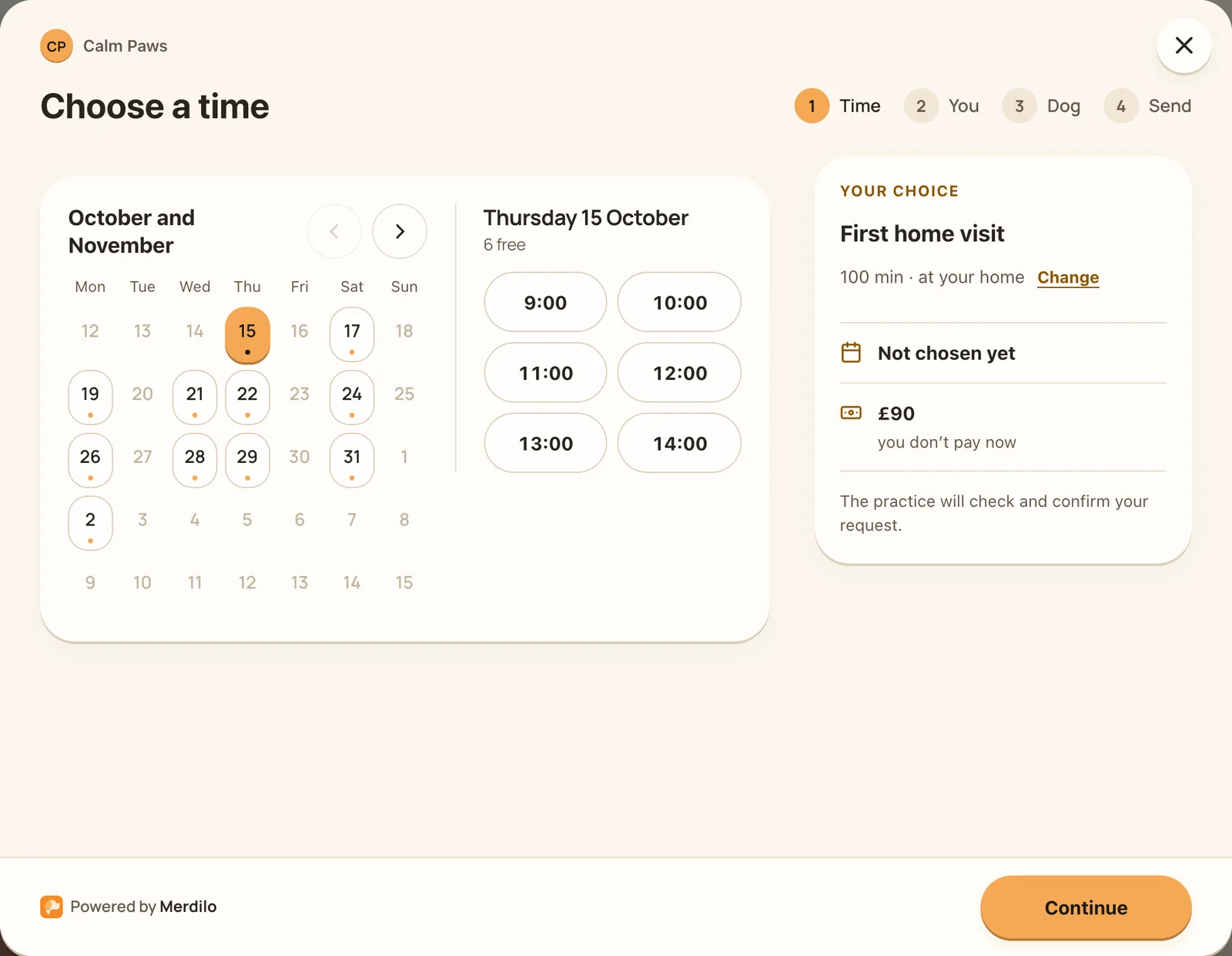
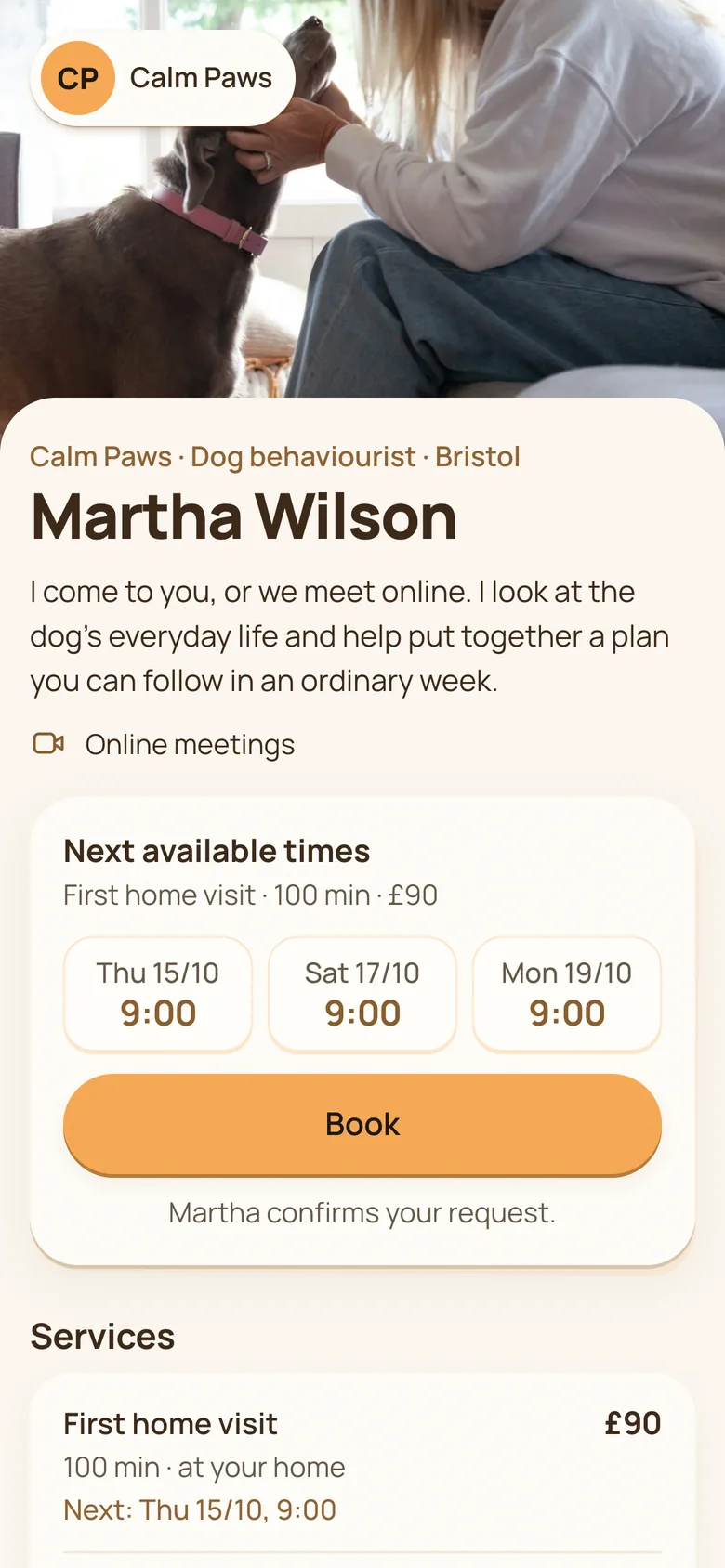
Step 1 of 7 · Booking
The guardian books a time from your practice page or your website.
Your practice page in Merdilo shows free slots. You can embed the same booking calendar on your own website or send it to the guardian as a link.
- When booking, the guardian gives their details and the dog’s.
- Each request waits for you to confirm it.

Step 2 of 7 · Questionnaire
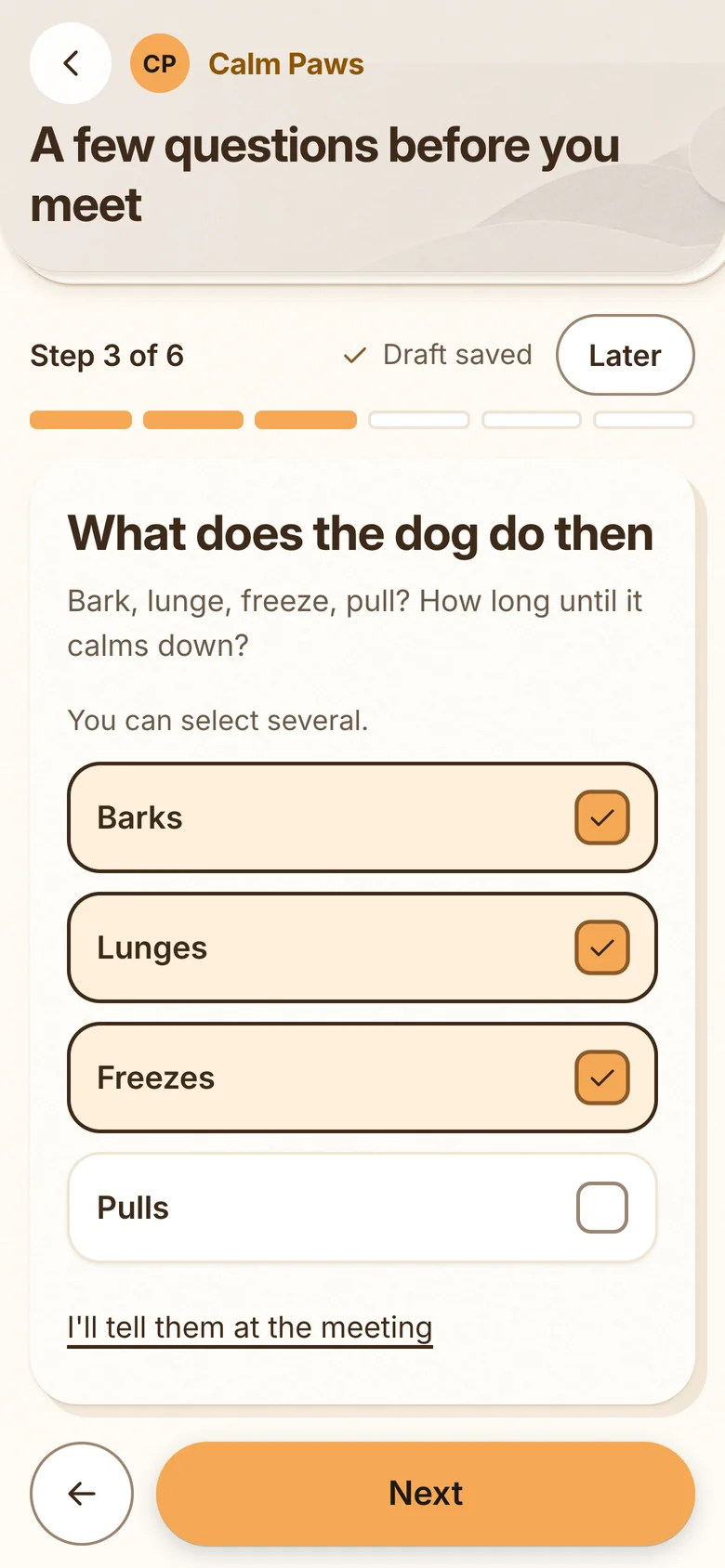
The guardian’s answers are waiting before you meet.
The guardian gets a link and fills in the questionnaire on their phone. You arrive at the meeting with their answers already in hand.
- The guardian can stop and finish the questionnaire later.
- For any question they can choose “I’ll tell them at the meeting”.

Step 3 of 7 · Visit
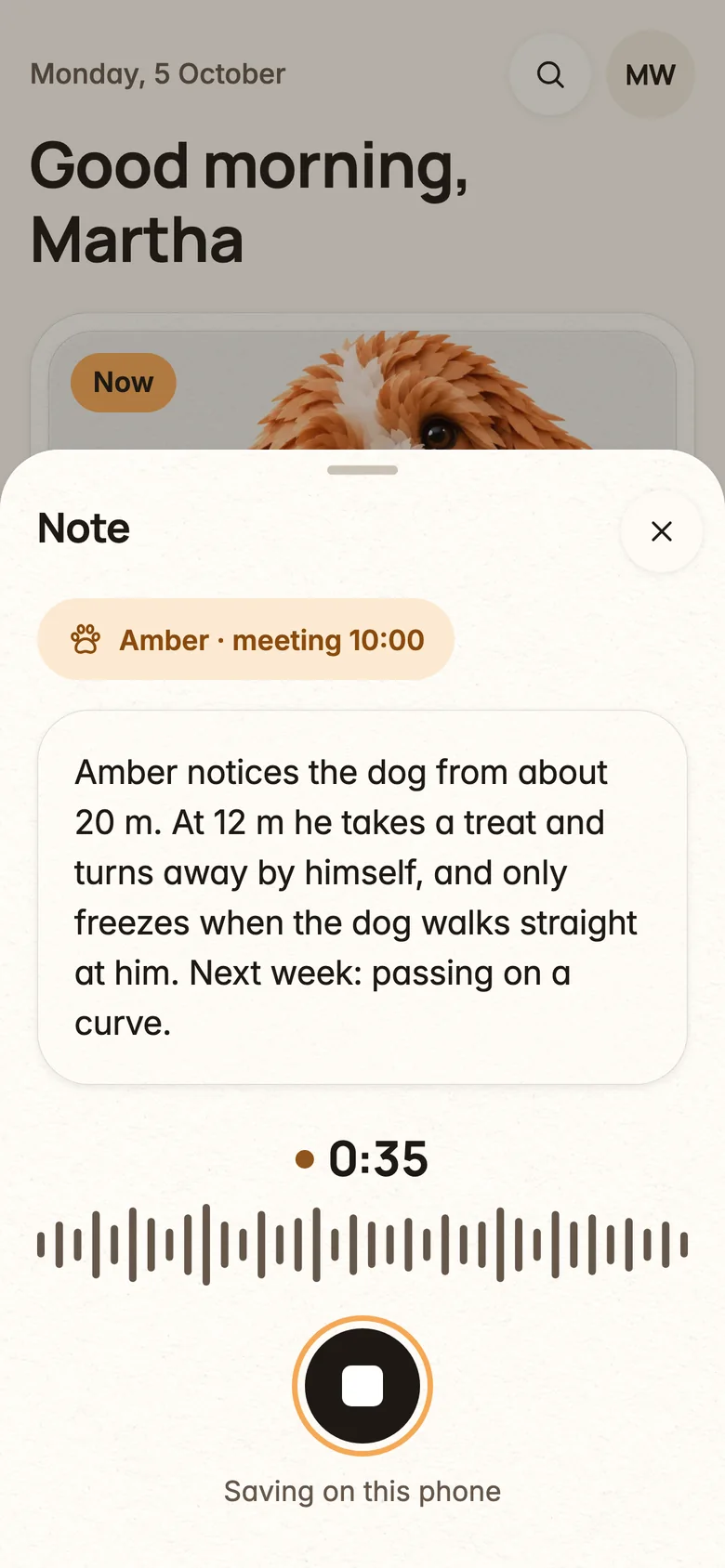
Your voice becomes the meeting note.
During a break you tell your phone what you see, and Merdilo saves it as a note.
- The note is filed with the dog and with the meeting.
- Notes are visible only to you.

Step 4 of 7 · Plan
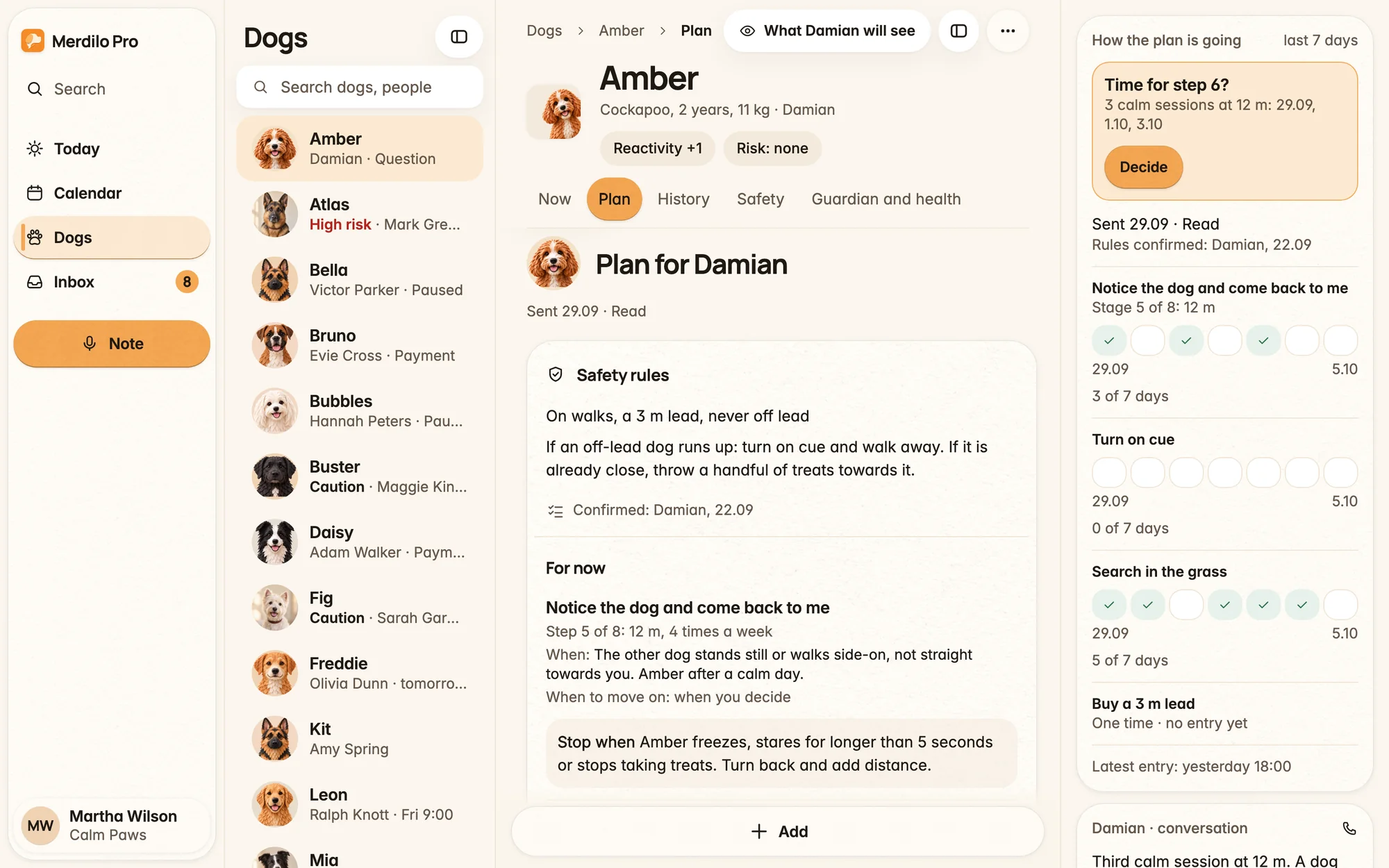
The guardian gets one plan with rules and exercises.
You put it together after the meeting, with your notes alongside. Before you send it, the preview shows the plan exactly as the guardian will see it.
- The guardian confirms the safety rules by name.
- Merdilo Pro shows when the guardian has read the plan.

Want to run your practice this way?
Get access to Merdilo ProStep 5 of 7 · Exercises
Every exercise the guardian does leaves a record in Merdilo Pro.
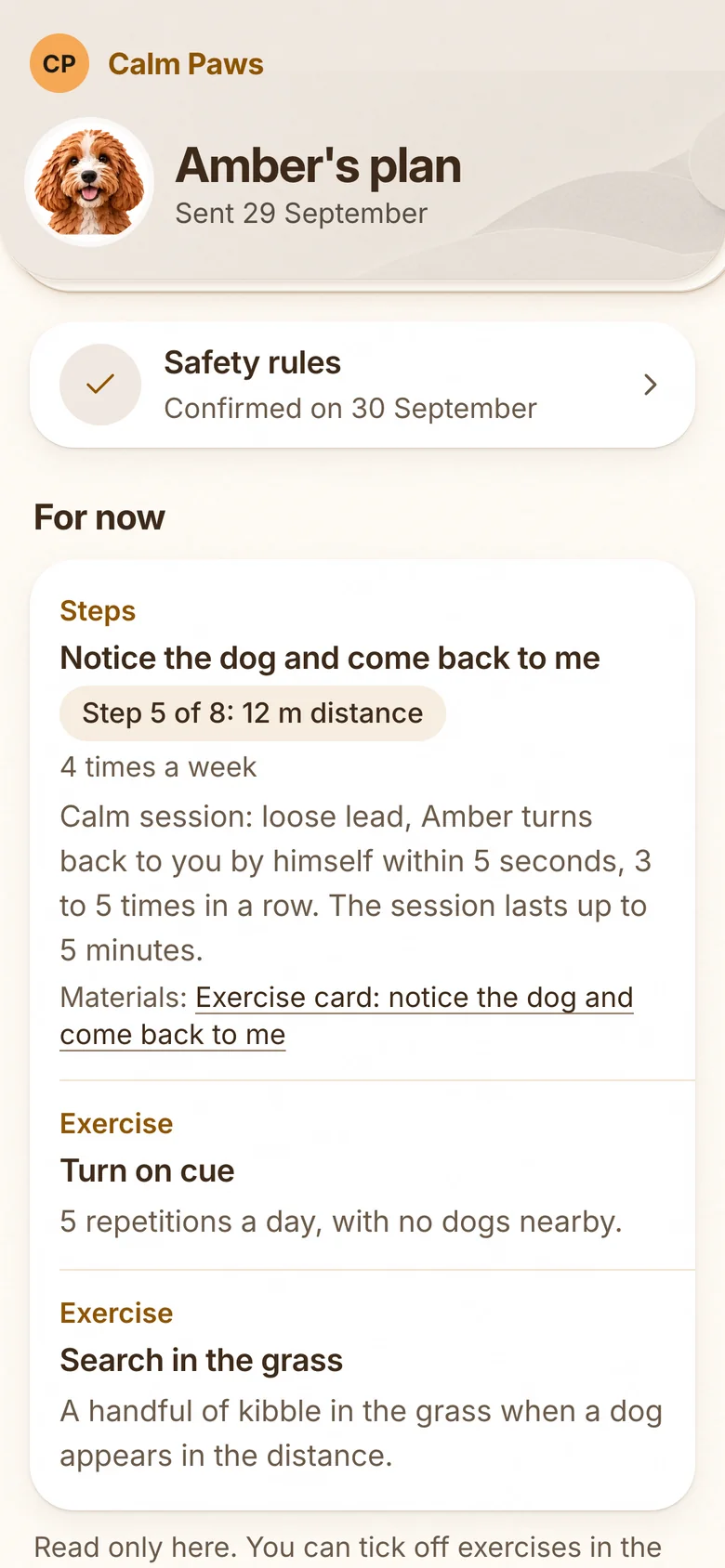
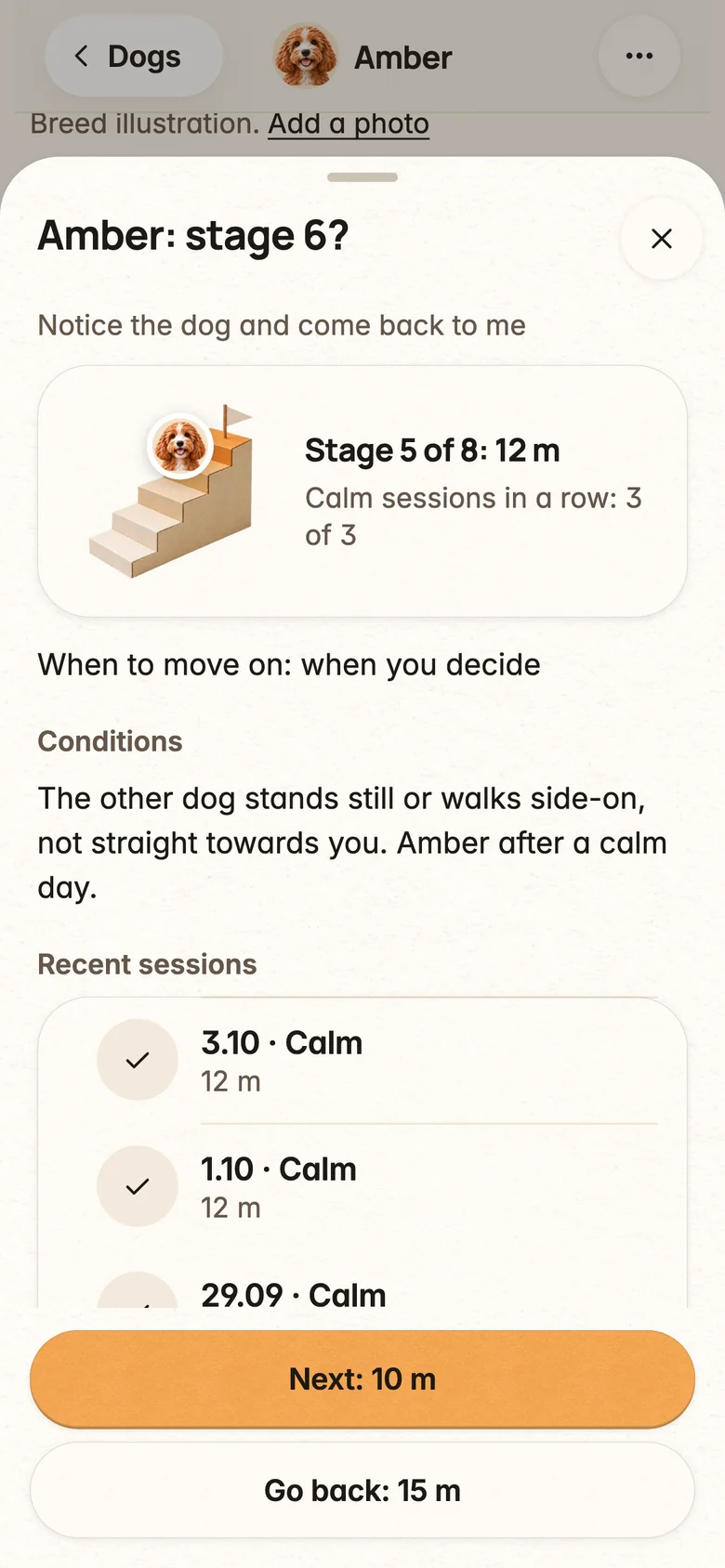
The guardian ticks off exercises in Merdilo, the app for dog guardians. Every session has a date, a note on how it went and the distance, so before the next visit the progress is clear.
- The guardian can open the plan from a link, without creating an account.
- Each stage of an exercise has its own conditions and distance.

Step 6 of 7 · Messages
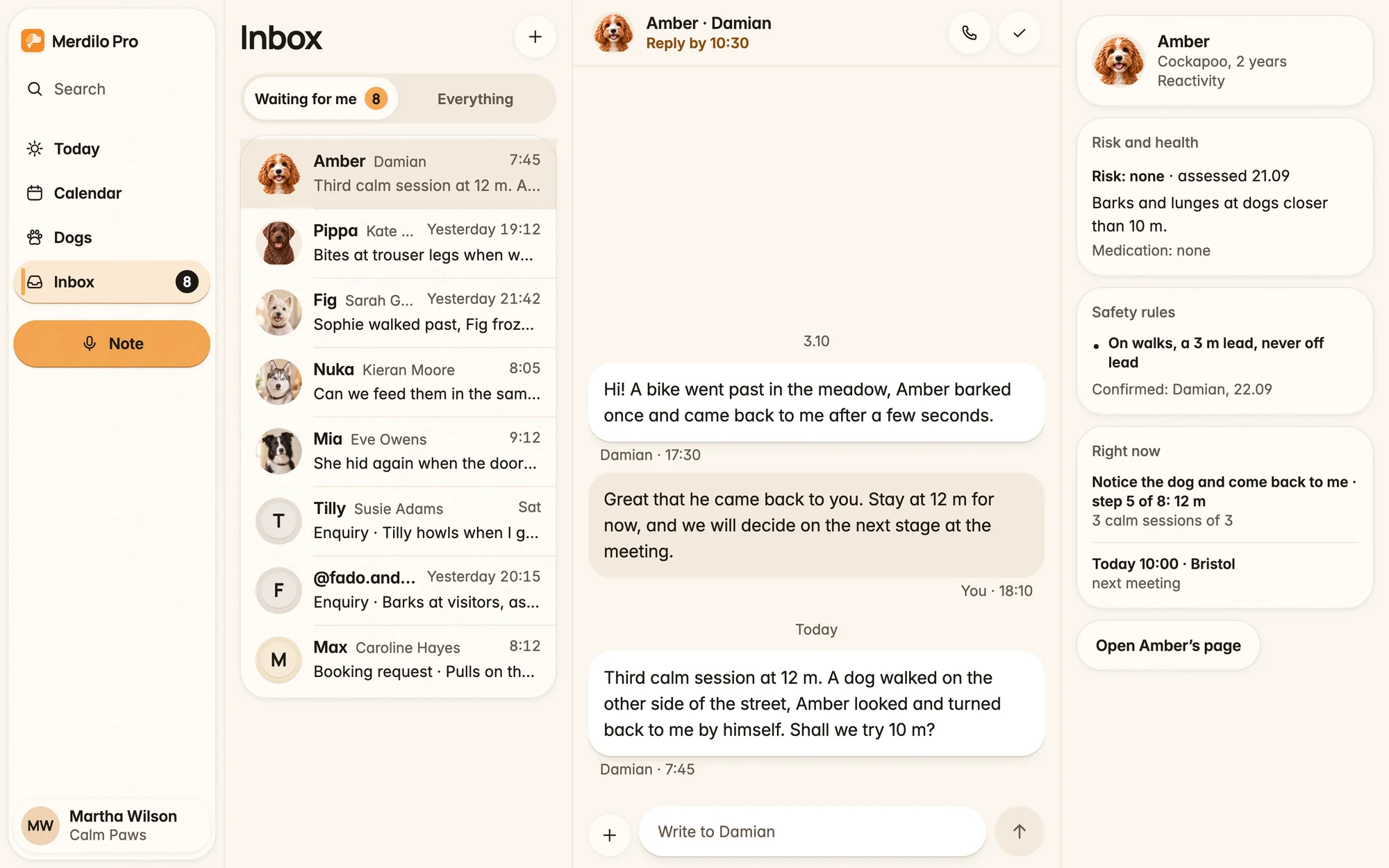
Messages from the guardian sit next to their dog’s plan.
The guardian writes in the Merdilo app, and the message lands in your Inbox. You reply with the dog’s risk level, safety rules and current plan right beside it.
- The Inbox shows who is waiting for your reply.
- One click takes you from the conversation to the dog’s screen.

Step 7 of 7 · Follow-up
The follow-up starts with the dog’s recent sessions.
Before a follow-up visit, the dog’s recent sessions are on one screen. Based on them, you choose the next stage, a repeat or a step back.
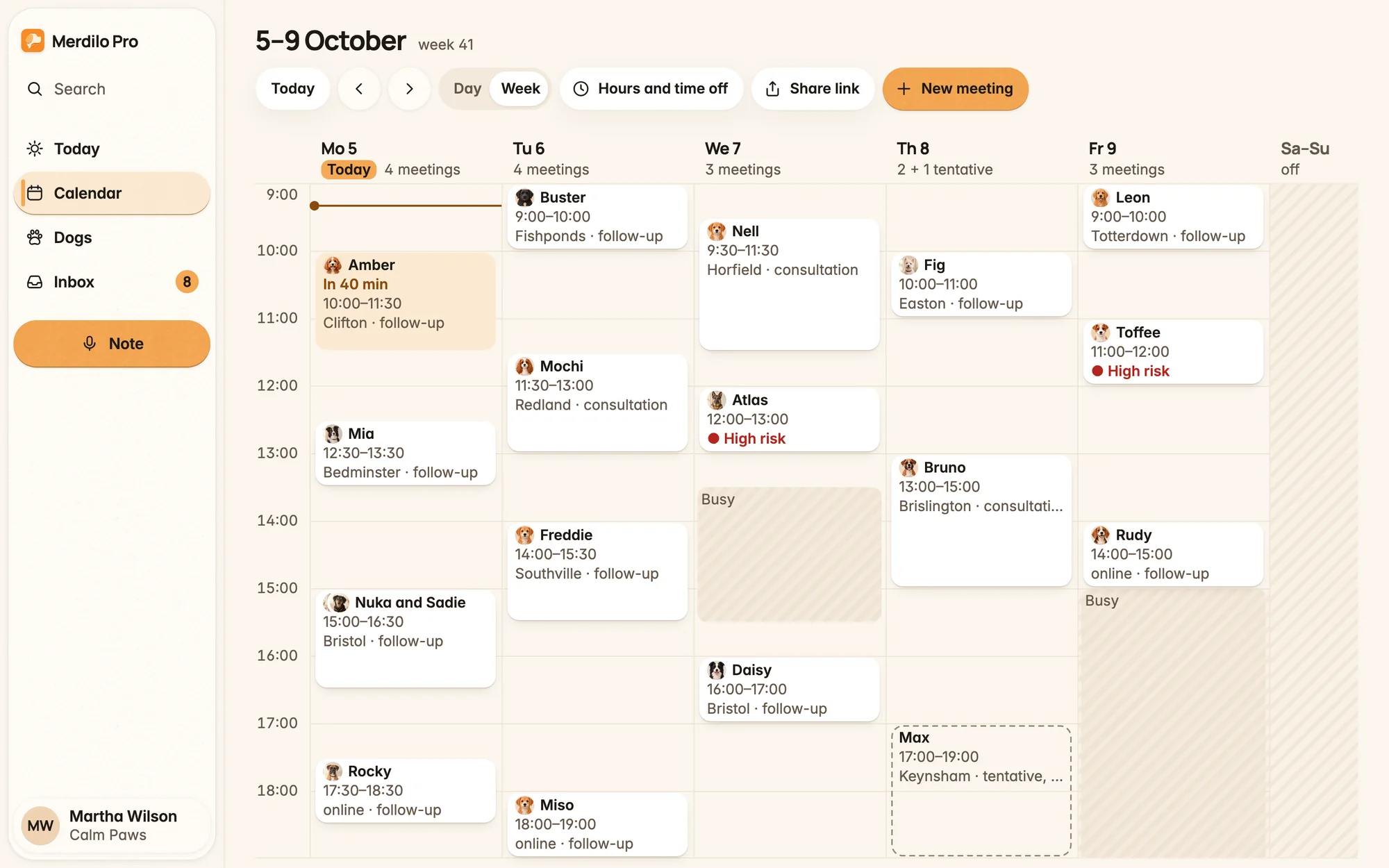
- Follow-up visits sit in the weekly calendar.
- Each stage lists its conditions and the signs that mean it is time to stop the exercise.

Watching · When the dog is home alone
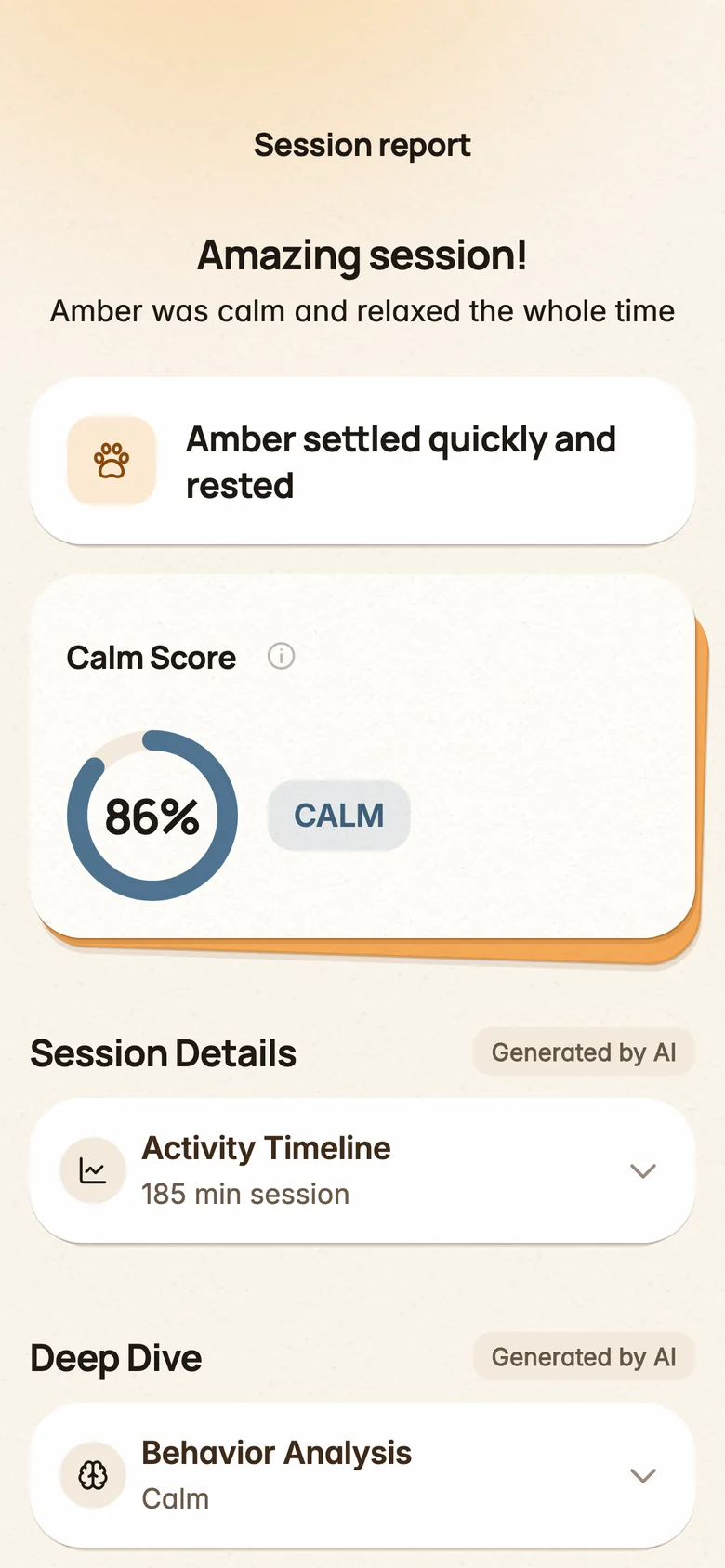
Watching shows how the dog copes home alone.
The guardian turns on Watching in Merdilo when they go out, and the app listens to the dog and recognises barking, howling and whining. Session reports the guardian shares appear with their dog in your account.
- The Calm Score and a timeline show when the dog barked, howled or whined, and how quickly it settled.
- Report by report, you can see whether the dog stays home alone more calmly from week to week.
- Before a visit, you know how the dog has coped alone since you last met.

Inside Merdilo Pro.
Every dog has its own screen
The plan, history, safety rules and guardian details are all in one place.

Calendar and working day
The Today screen shows what is waiting for a reply, and the calendar shows the whole week of meetings.

Your practice data is yours
Notes are visible only to you, and you can export your practice data at any time.

Start with your current list
Bring the list of dogs and guardians you keep today into Merdilo Pro.

Nothing to install for guardians
The plan, questionnaire and booking open from a link.
Payments
Record payments from guardians.
Computer and phone
Merdilo Pro runs in the browser on your computer and phone.

Meet me and Bursztyn.
I’m Damian, the founder of Merdilo and Bursztyn’s guardian. I’ve been building apps for different industries for more than 7 years, and now I’m also studying animal behaviour.
Merdilo started as an app for dog guardians. I’m building Merdilo Pro for the people who help them professionally, so they can see how the dog and guardian practise between sessions.
Once you join the list, I’d be glad to talk about how you work and where Pro could help.
Damian WilińskiFounder of Merdilo and Merdilo Pro
Get access to Merdilo ProMore about meQuestions about Merdilo Pro.
Who is Merdilo Pro for?
For dog behaviourists and trainers who run consultations and then keep working with the guardian. It works the same way for every case, whether that is reactivity, fears, a puppy or being left home alone.
I already have a website and my own booking system. What then?
You can keep them. Paste the Merdilo booking link on your website, or if you prefer your current tool, use Pro for plans and for staying in touch with guardians.
Does the guardian have to install an app?
No. They open the plan, questionnaire and booking from a link. In Merdilo, the app for dog guardians, they can also tick off exercises and message you.
What does the guardian receive from me?
The plan, safety rules and materials you send them. Before you send anything, you can see the plan exactly as they will. Your notes stay visible only to you.
Who is responsible for my clients' data?
Your practice is the controller of guardians' and case data. Merdilo processes it on the practice's behalf, only on its instructions, and does not use it for its own purposes. The rules are set out in the data processing agreement you accept together with the terms. Practice workspaces are kept separate, and data is encrypted in transit and at rest. When you stop using Merdilo Pro, we return or delete the data, as you choose, and you can export it beforehand.
What does Merdilo Pro run on?
The browser, on your computer and your phone. You set up your practice account in the browser too.
What else is in Merdilo Pro?
Every dog has a screen with its plan, history, safety rules and guardian. You can also record payments, bring over your current list of dogs and guardians, and export your practice data at any time.
What happens after I join the list?
We will email you when you can start using Merdilo Pro, and then you decide whether you want to. Joining the list does not create an account or start a subscription.
How much does Merdilo Pro cost?
Merdilo Pro is currently in a pilot, and the pilot is free. Joining the list is free too, and you will hear about the price and terms before anything changes.

The dog has a guardian. The guardian has you. You have Merdilo Pro.
Leave your email, and we will let you know when you can start using Merdilo Pro.
The pilot is free, and joining the list commits you to nothing.