
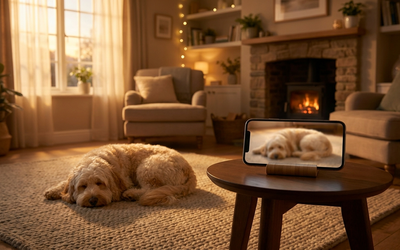
Dogs are part of the family in a huge share of households, and the number of dogs living with people keeps climbing. Even though more companies now allow remote or hybrid work, plenty of pet parents still spend a big part of the day away from home. In practice, that means a great many dogs are regularly left home alone for several hours a day.
A whole category of tools grew out of that need - tools for watching over your dog while you're away. From apps that run on a second device you already have at home (phone, tablet, laptop), through hardware cameras that cost a few hundred dollars, to apps with real-time sound analysis. Each one answers a slightly different need: one aims to give you more peace of mind, another helps with assessing separation anxiety, and yet another treats your dog like one part of a home security setup.
In this guide I'll walk you through seven types of solutions, show you who each one makes sense for, and point out what to look at before you spend money or install an app you probably won't use for longer than a week anyway.
Why would a pet parent need a monitoring app?
First, some context. Shelters fill up in part because many pet parents simply don't know how their dog handles long hours alone, so the difficulty builds up until it escalates (complaints from neighbors, damage, house-training that slips backwards). It's a pattern that doesn't come out of nowhere.
This is where a dog monitoring app comes in. In practice it gives you three things:
- Concrete observations instead of guesswork - you see or hear what's really happening in the first minutes of your absence, when your dog may feel the most tension.
- Early signs of difficulty - long stretches of barking, howling, or restless pacing around the home show up far earlier than a chewed doorframe or a puddle on the floor.
- Data for a specialist - if you see a behaviorist, observations from a few days (patterns, alerts, scores) can make the consultation easier and help you get a read on the situation faster.
Separation problems are among the common reasons people book a behaviorist, though how widespread they really are across the dog population depends on the definition and the study method. Not every dog left alone has separation anxiety - but until you see how they truly experience your absence, it's hard to tell.
7 ways to watch over your dog - a comparison
The pet tech market is growing fast, which you can see in the sheer number of new apps, cameras, and accessories for pet parents. From your point of view, though, the choice really comes down to seven concrete categories that differ in price, privacy, and how quickly you can get them running.
| Solution | Rough cost | Setup time | Best for |
|---|---|---|---|
| Monitoring app on your own devices | Subscription from a few dollars/month, usually with a free trial | 5-10 minutes | Pet parents who want to start watching without buying gear |
| IP camera for home security | From around $25 for a basic model | 15-30 minutes | People who want a camera in the home anyway |
| Dedicated dog camera (with hardware features) | A few hundred up to around $500, often with a subscription | 20-30 minutes | Pet parents who want a ready-made product off the shelf |
| Baby monitor with a camera | From around $50, works on a local network | 10 minutes | People who want a view at home, without internet |
| Webcam connected to a computer | From around $25 if you have a computer | 30-60 minutes of setup | Tech-savvy people who like DIY solutions |
| App with AI-based sound analysis | Subscription from a few dollars/month, usually with a 7-14 day trial | 5-10 minutes | Pet parents of dogs who may have separation anxiety |
| Professional home security system with a dog module | Over $250, installed by a specialist | A few days (installer visit) | Houses with several dogs |
This is a simplification - in practice each of these categories has its own ideal candidates and its own weak spots. Below I'll go through them one by one.
1. A monitoring app on your own devices - no separate hardware
The simplest option. You need two devices: the one you carry with you, and a second one that stays with your dog. That second one can be an older phone in a drawer, an unused tablet, a laptop, or a spare computer at home. Most apps in this category (including Merdilo) run on all the major platforms: iOS, Android, macOS, and Windows, so you can mix and match devices however you like.
Pros: no separate investment in hardware, full mobility (you can move the device to another room), and usually better privacy than hardware cameras, as long as you pick an app that processes sound locally on the device.
Cons: you need a second device (or someone who'll lend you one) and you have to remember to keep it plugged into a charger - a 6-8 hour session will drain the battery.
2. An IP camera for home security - the versatile compromise
Classic indoor IP cameras (with a pan-and-tilt head, infrared, and two-way audio) start at around $25-50. You connect them to Wi-Fi, install the maker's app, and get a view through your phone.
The downsides of this option when it comes to dogs: apps from IP camera makers are designed mainly for security and break-in monitoring, not for dogs. That means you get motion notifications (which can quickly become a nuisance), but you won't get analysis of specific sounds like "the dog has been barking for 5 minutes" or a calm score for the session. And privacy: most of these cameras send the video to the maker's servers.
3. A dedicated dog camera - a ready-made solution off the shelf
A category that has grown a lot in recent years. Dedicated cameras combine live video, two-way audio, sometimes a treat dispenser, and bark analysis. Price: from a few hundred up to around $500, often with a monthly subscription for the AI features.
It's a convenient option if you don't want to juggle two phones and prefer separate gear mounted in one spot. On the other hand, you lose mobility (the camera stays in one place) and you usually don't have full control over where the video goes - many of these cameras send it to the maker's servers abroad.
4. A baby monitor with a camera - a local solution
A baby monitor is an interesting option if you don't want the video to leave your home at all. It works over a local network, meaning the camera talks to the monitor wirelessly, without the internet. But this option has one fundamental limitation: you won't see your dog from the office, a cafe, or a walk - only from the receiver that's at home. Good for someone who works upstairs while the dog is in the living room. It won't cut it, though, if you leave the house for 8 hours.
5. A webcam and a computer - the option for tinkerers
You can plug an ordinary USB webcam into an old laptop, run some streaming software, and receive the view through a browser. It works, but it takes technical know-how, a stable computer that has to run nonstop, and port configuration on your router if you want to watch from outside the home. In practice, a lot of people give up on this option pretty quickly.
6. An app with AI-based sound analysis - helpful if you suspect separation anxiety
The newest category. The app analyzes background sounds in your home and recognizes specific vocalizations: barking, howling, whimpering. Out of a whole session it filters down to the 5-10 events that really matter, and after the session it gives you a single score (for example, a calm score on a scale of 0 to 100) so you can compare one day to the next.
This is the category Merdilo belongs to, but it's not the only one - a few apps on the market take a similar approach. They differ mainly in where exactly the sound analysis happens (locally on the device or in the maker's cloud) and what data gets sent to the maker's servers.
7. A professional home security system with a dog module - for bigger properties
If you have a house with several dogs and a yard and you want the whole thing under control, there are companies that install integrated systems with a dog module. You pay for the installation (over $250, usually much more) and a subscription. It's the most elaborate solution on the list, but for most pet parents living in an apartment it's overkill.
What to look for in a dog monitoring app
No matter which category you go with, there are a few features worth paying attention to. These aren't the specs you'd usually compare at an electronics store - they're the things that really change the day-to-day experience.
Sound recognition, not just recording
Live video alone isn't much. Nobody scrubs through 8 hours of footage to check whether the dog barked. An app that recognizes specific vocalizations (barking, howling, whimpering) and tells you about them in real time saves your time and gives you a signal exactly when it makes sense to react.
A score that sums up the session
One simple score after each session (for example, a calm score on a scale of 0 to 100) lets you compare one day to the next. Without it you'd have to do that by hand from notes - so in practice almost nobody does.
Local processing (privacy)
If the app processes sound locally on the device, the recording never has to land on someone else's servers. That's key for homes where other people, kids, and conversations happen in the background. Check this before you check for 4K resolution - it matters more.
Support for multiple platforms
You have one dog, but at home there might be an iPhone, an Android phone, a Mac, and a Windows computer. An app that only works on one platform limits you to whoever happens to have their phone. Choose solutions that support all four major ecosystems.
Genuine support in your language
You deserve an app where the navigation, alerts, and reports are in a clear, natural version of your language, not a clunky machine translation. It's also worth checking that the support team actually replies to you.
Red flags: what to avoid
A few things to watch out for, no matter what the solution costs:
- No clear information about where the video goes. If it's hard to find an answer in the privacy policy about where recordings are stored and for how long, treat that as a warning sign.
- Fear-based marketing. "Your dog is suffering, buy our camera" is a message that plays on guilt. Trustworthy solutions talk about observing, not rescuing.
- No free trial. An app that asks you to pay from day one without letting you try the features doesn't give you a chance to make an informed decision. Look for solutions with a 7-14 day trial.
- Two-way audio without context. Talking to a dog who isn't with you sounds reasonable, but for a dog with separation anxiety it can be more stressful than helpful (they hear a familiar voice but can't find you). The feature makes sense if you know when to use it.
- No transparent pricing. Apps that don't show upfront what the full version costs after the trial, or bury the subscription in fine print, make an informed decision harder. The price of the full version should be visible before you even install.
How Merdilo fits into this comparison
Merdilo is an app we build in Toruń. It combines the approach of two categories from the list above: an easy start with no extra hardware to buy (your second device in the role of a camera) and AI-powered sound analysis - recognizing barking, howling, and whimpering, plus a Calm Score after each session. We've deliberately made a few choices that we think make everyday use easier:
A second device as the camera, with no extra hardware
You don't need a separate camera. The app works on two of your devices: one phone, tablet, or laptop stays with your dog as the device acting as the camera, and the other is your view. It runs on the four major platforms: iOS, Android, macOS, and Windows, so you can freely mix a phone with a tablet, laptop, or computer.
Recognizing barking, howling, and whimpering
The app analyzes background sounds in your home and recognizes specific vocalizations. Everything happens locally on the device, without sending recordings to our servers. You get a notification with the exact time and type of event.
A Calm Score after every session
After each session you get a Calm Score, a measure of how calm your dog was on a scale of 0 to 100. It's not a grade - it's a neutral summary: 60-100 means your dog was calm for most of the session, and 0-59 means they were vocally active (which isn't a bad thing in itself, since vocalizing is natural for a dog). The score comes from analyzing several dimensions: how much of the session your dog spent vocalizing, which type of sound dominated (whimpering is a different signal than barking), how quickly the first reaction came after you left, how long the quiet stretches between episodes were, and whether the reactions were triggered by things outside (like the doorbell or noise in the hallway). This lets you compare one day to the next without scrubbing through recordings.
Every feature from day one
Recognizing barking, howling, and whimpering, a Calm Score after every session, live video, and two-way audio - everything you need to see how your dog experiences your absence. You download the app, connect two devices, and run your first short session. You'll get a concrete picture of what happens at home when you're not there.
See what your dog really does when you leave
Merdilo lets you use your second device (phone, tablet, or laptop) as a camera for your dog - with bark recognition, a Calm Score after every session, and live view. No extra hardware to buy.
How to start watching your dog - 3 simple steps
If you've never used an app to watch over your dog before, the whole setup takes a few minutes.
Step 1: Download the app on both devices
Download Merdilo on your main phone and on the second device (phone, tablet, or laptop) that will stay with your dog. Create an account - the whole process takes a few minutes.
Step 2: Set up the second device in your home
Place the second device where it can see your dog's bed or the entrance to your home. Plug it into a charger - a 6-8 hour session will drain the battery. Turn on "Camera (transmitter)" mode in the app.
Step 3: Head out for a short, trial session
Keep the first session short - 15 minutes is plenty. Step out to grab the mail or run to the store for some bread. When you get back, you'll see the Calm Score from that session and a list of the sounds it detected. That's your first real picture of what happens in the first minutes of your absence.
Summary - key takeaways
- A huge share of households have a dog, and many pet parents spend a big part of the day away from home. An app for watching over your dog is a real tool today, not a luxury for tech enthusiasts.
- Seven categories of solutions differ in price, privacy, and how easy they are to set up. An app running on a second device you already have at home is the cheapest and often the most flexible option.
- Live video alone isn't enough: without sound analysis, hardly anyone will regularly scrub through 8 hours of footage. Vocalization recognition filters a session down to the handful of events that really matter.
- Privacy matters more than 4K resolution: check where the video goes before you choose a solution. Processing locally on the device is usually better for privacy.
- Start with a short session: 15 minutes is enough to see how your dog reacts to you leaving. It's the first real picture instead of guesswork.
No matter which category you choose, the most important thing is the first step: seeing what your dog really does when you're not home. The rest - picking an app, fine-tuning your sessions, maybe consulting a behaviorist - is then work based on concrete data, not guesswork.
Sources
- European Pet Food Industry Federation (FEDIAF). Report "European Pet Food Industry - Facts & Figures" (published in 2025, data for 2023). Poland: approx. 8.4 million dogs, 49% of households with a dog, 4th place in the EU.
- OTOZ Animals (Polish animal welfare organization). Statistics on pet abandonment during the vacation season (an increase of ~30%). otoz.pl
- Supreme Audit Office of Poland (NIK), Chief Veterinary Officer. Data on the number of Polish shelters (approx. 230) and the population of dogs in shelters (over 80,000 in 2023). NIK materials: "Animal homelessness - spending is rising, yet the problem remains unsolved." nik.gov.pl
- The State of Pet Homelessness Project (Mars Petcare, 2024). Report on pet homelessness in Poland: close to 950,000 homeless dogs and cats.
- Statistics Poland (GUS). Data on remote work in Poland: approx. 10% of employees work remotely regularly or occasionally.
- Polish Economic Institute (PIE). Survey of employers: 33% of companies allow remote or hybrid work, 41% have no plans to introduce it.
- EY (2024). "Remote work, Polish style": 88% of companies that adopted remote work chose a hybrid model.
- Sherman, B. L., & Mills, D. S. (2008). "Canine anxieties and phobias: An update on separation anxiety and noise aversions." Veterinary Clinics of North America: Small Animal Practice, 38(5), 1081-1106.
- Salonen, M. et al. (2020), University of Helsinki. A study of over 13,700 dogs showing that anxiety problems are common and vary by breed. "Prevalence, comorbidity, and breed differences in canine anxiety in 13,700 Finnish pet dogs," Scientific Reports.
This article is for informational purposes and does not replace a consultation with a vet or a certified behaviorist. If your dog shows serious signs of separation anxiety, consult a specialist.